10 Best Apple Notes Alternatives in 2026, Compared

已更新:8月22日

Apple Notes is difficult to replace with one universal app because its strongest features come from the Apple ecosystem: fast capture, iCloud sync, scanning, handwriting, shared notes, and tight integration across Mac, iPhone, and iPad.
The right alternative depends on the reason you are leaving. Choose OneNote or UpNote for a familiar cross-platform notebook; Notion for shared projects and databases; Obsidian or Joplin for Markdown and local control; Bear for a polished Apple-only writing app; Evernote for web clipping and document search; Google Keep or Simplenote for lightweight capture; or remio when the real problem is collecting and retrieving context across web pages, files, meetings, email, and messages.
Quick answer: Windows and Android users should start with OneNote, UpNote, Notion, Joplin, or Obsidian. Privacy-focused users should compare Obsidian's local Markdown files with Joplin's optional encrypted sync. People who mainly want automatic capture and AI retrieval across many sources should evaluate remio rather than looking for a direct Apple Notes clone.
Apple Notes alternatives at a glance
Alternative | Best for | Main tradeoff |
remio | Automatic capture and AI retrieval across work sources | Not a drop-in Apple Notes editor and currently limited to supported desktop systems |
Microsoft OneNote | Cross-platform notebooks, handwriting, and collaboration | Cloud-connected notebook format rather than portable Markdown files |
Notion | Shared docs, databases, projects, and team knowledge | More setup and structure than a lightweight notes app |
Obsidian | Local Markdown, backlinks, plugins, and data ownership | Collaboration and sync require more decisions and setup |
Bear | Polished Markdown writing within the Apple ecosystem | Apple-only; cross-device sync and some exports are paid features |
Joplin | Open-source, offline-first Markdown notes with encrypted sync options | Less polished and more configuration-heavy than Apple Notes |
UpNote | Familiar notebooks and fast cross-platform writing | Uses its own app database and does not offer end-to-end encrypted sync |
Evernote | Web clipping, scans, attachments, and document search | Cloud-service model and plan limits require review |
Google Keep | Quick notes, lists, reminders, and Google collaboration | Limited hierarchy and long-form organization |
Simplenote | Minimal text notes, tags, Markdown, and version history | No rich document, scanning, or handwriting workflow |
How we evaluated these alternatives
We compared the products against the reasons people actually leave Apple Notes: needing Windows or Android access, wanting more portable exports, requiring local or encrypted storage, sharing structured work with a team, capturing information from more sources, or reducing the complexity of a large notes library.
The important distinction is not whether an app has more features. It is whether the destination preserves the parts of your workflow that matter: text, images, scans, attachments, checklists, handwriting, links, shared folders, tags, and a usable export path.
1. remio — best for automatic capture and AI retrieval
remio is the strongest fit when the limitation is not basic note editing but the amount of information arriving from different places. It can capture article-like web pages, index local folders and files without uploading the originals, transcribe recordings and meetings, and connect supported email or messaging sources into a searchable personal knowledge base.
Compared with Apple Notes, remio reduces manual copying and filing. Its main value is retrieving context across saved pages, meetings, files, email, and messages, then using that context for research and AI-assisted work.
The tradeoff is that remio is not a direct replacement for Apple Notes' native sketching, shared iCloud folders, or simple mobile note editor. The full desktop product currently requires Windows 10 or later on x64 hardware or an Apple-silicon Mac.
Migration note: keep Apple Notes as the source of truth during a pilot. Export representative notes, index local Markdown or document folders, and test whether remio retrieves the information you need before moving a larger workflow.
2. Microsoft OneNote — best for cross-platform notebooks and handwriting
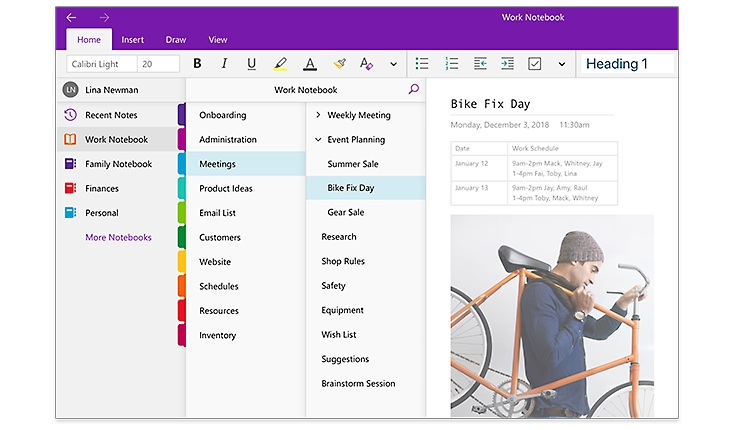
OneNote is the closest broad replacement for people who want notebooks, sections, free-form pages, handwriting, audio, search, and shared editing on Windows, Mac, iPhone, iPad, Android, and the web.
It is especially strong for students, Microsoft 365 users, and anyone who places text, drawings, screenshots, and annotations freely on a page. Supported versions are free to download and use, while some premium capabilities depend on Microsoft 365.
The main tradeoff is portability. OneNote notebooks are cloud-connected application data, not ordinary Markdown folders that can be edited by any text editor.
Migration note: test typed notes, images, scans, tables, handwriting, links, and shared notebooks separately. Do not assume a PDF export is equivalent to an editable migration.
3. Notion — best for shared projects and structured knowledge
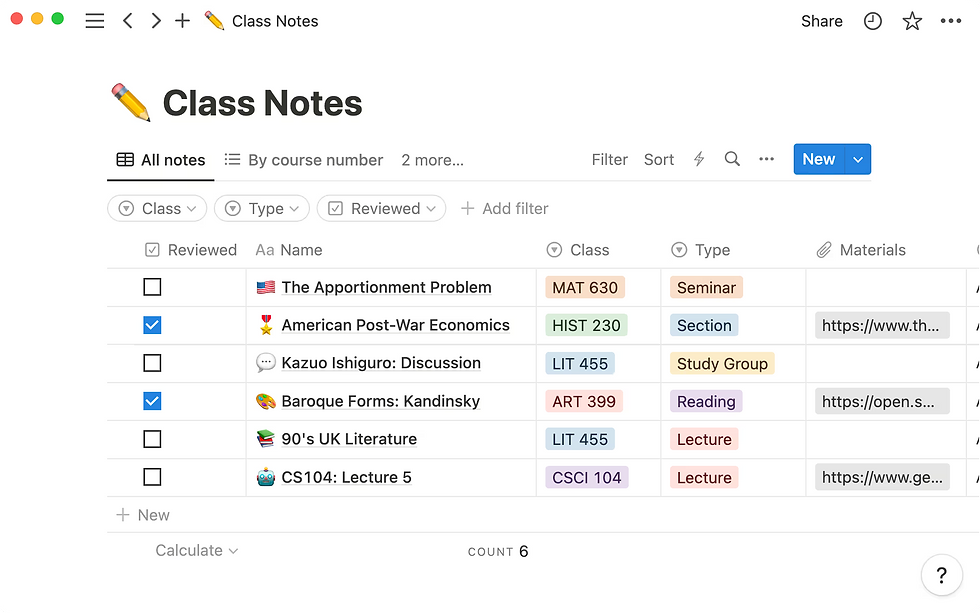
Notion combines documents, databases, projects, wikis, permissions, and real-time collaboration. Choose it when Apple Notes has become too unstructured for a team or when notes need owners, properties, views, and workflows.
Notion's desktop and mobile apps support downloaded pages for offline work. Individual pages must normally be made available offline, and database downloads have limits; browser access is not the same as offline access to a local folder.
The tradeoff is complexity. A Notion workspace can become a system to maintain, and its data model is less portable than plain Markdown files.
Migration note: create a small workspace and test nested pages, attachments, tables, checklists, shared content, database conversion, offline availability, and exports before importing a full archive.
4. Obsidian — best for local Markdown and extensibility
Obsidian stores notes as Markdown files in a local vault. It adds backlinks, graph navigation, properties, Canvas, themes, and a large plugin ecosystem while leaving the underlying text accessible to ordinary file tools.
Choose Obsidian when data ownership, offline access, linking, and customization matter more than Apple Notes' simplicity. It is also easier to back up or version plain files using standard tools.
The tradeoff is maintenance. Sync, collaboration, plugins, mobile behavior, and advanced workflows require more decisions than Apple Notes.
Migration note: export a representative Apple Notes sample to Markdown where supported, then verify images, attachments, checklists, tables, links, tags, and filenames. Keep the original Notes library until the vault and backups are proven.
5. Bear — best for polished writing on Apple devices
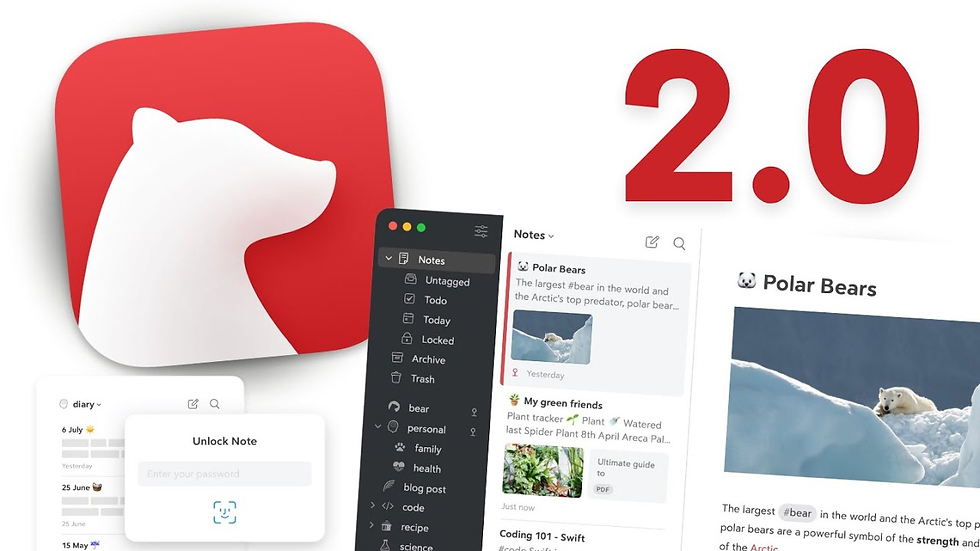
Bear is a Markdown-based writing and notes app for Mac, iPhone, and iPad. It supports tags, attachments, tables, to-do items, sketches, OCR search, themes, note encryption, and portable exports, while retaining a polished native Apple experience.
Choose Bear when you like the Apple ecosystem but want better Markdown writing, tagging, visual polish, or export flexibility. It can feel more focused than a large workspace tool.
The tradeoff is that Bear does not solve the Windows or Android problem. iCloud sync and several advanced capabilities are part of Bear Pro.
Migration note: test Markdown or TextBundle export, images, scans, sketches, locked notes, tags, and nested organization. A Bear backup is useful for recovery but is not the same as a cross-platform working format.
6. Joplin — best for open-source offline notes
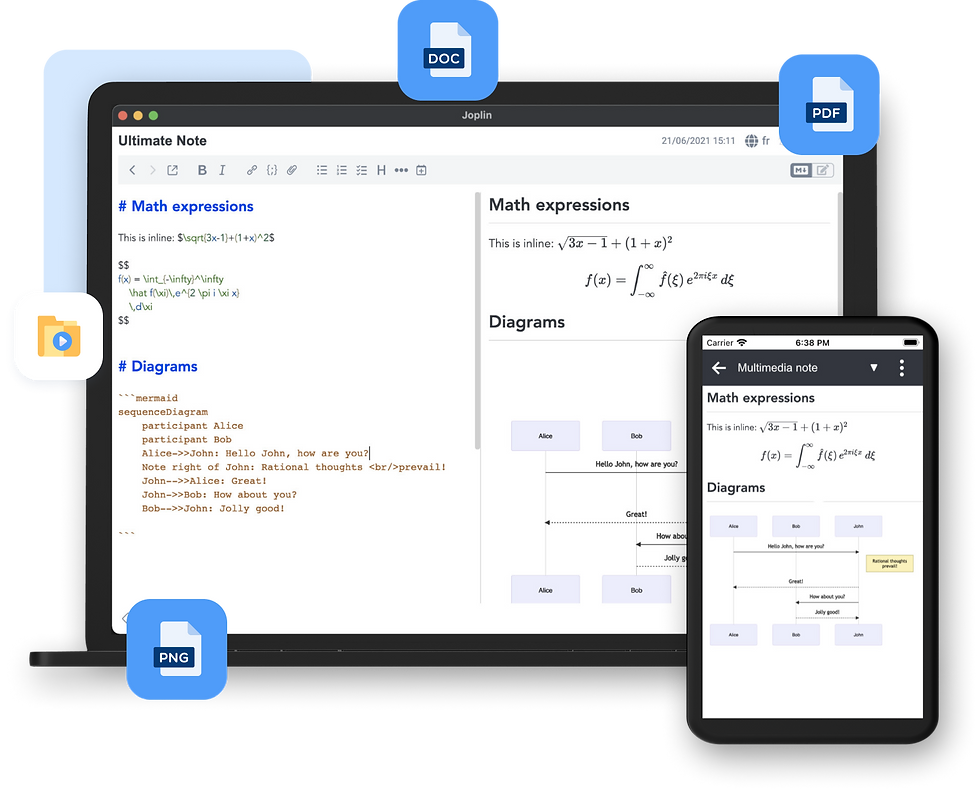
Joplin is a free, open-source, offline-first note and to-do application for Windows, Linux, macOS, Android, and iOS. It supports Markdown, notebooks, tags, search, attachments, plugins, themes, and browser clipping.
Joplin can synchronize through several services, and end-to-end encryption can be enabled for synchronized data. Encryption setup should begin on one device and finish syncing before additional devices are configured.
The tradeoff is that Joplin requires more setup and its interface is less integrated than Apple Notes. Its rich-text editor can also have limitations when notes use nonstandard Markdown extensions.
Migration note: test Markdown imports, images, attachments, checklists, tags, and internal links. Configure sync and encryption with a copied library before relying on them for the only copy.
7. UpNote — best for a familiar cross-platform notebook
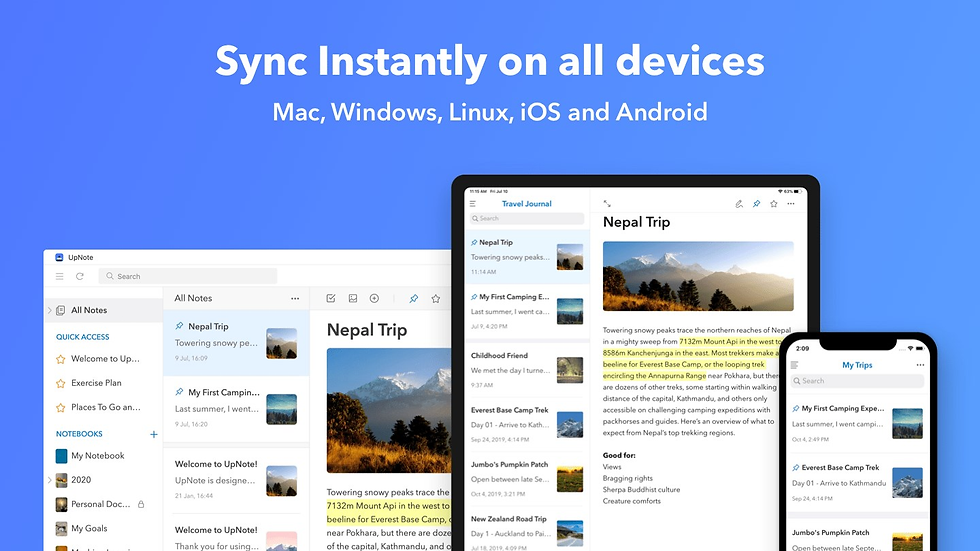
UpNote offers notebooks, nested organization, tags, backlinks, templates, rich formatting, attachments, web clipping, offline editing, version history, and applications across common desktop and mobile platforms.
It is a practical choice for people who want something closer to Apple Notes than Notion or Obsidian. Notes can be exported as Markdown, HTML, text, or PDF, and desktop apps can create local backups.
The tradeoff is that synchronized notes use UpNote's cloud service. The service documents encryption in transit and at rest, but it is not an end-to-end encrypted sync design.
Migration note: import a small Markdown set first. Confirm notebook hierarchy, links, attachments, locked notebooks, export quality, and offline behavior on every device you plan to use.
8. Evernote — best for web clipping and searchable reference material
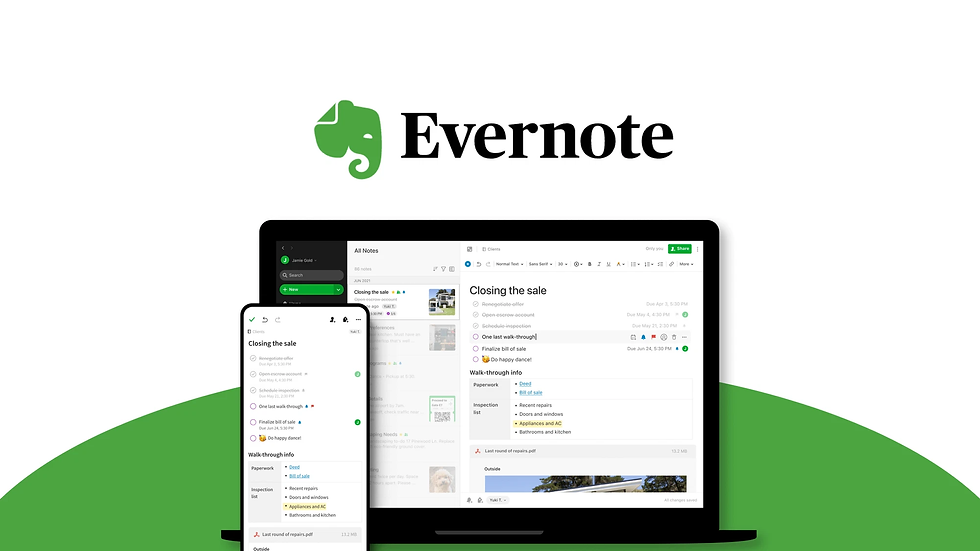
Evernote remains useful for collecting web pages, articles, PDFs, scans, images, attachments, tasks, and calendar-linked notes. Web Clipper can remove page clutter, while search can look inside supported images and documents.
Choose Evernote when Apple Notes is serving mainly as a reference archive and capture inbox. Its capture and retrieval workflow is more important than backlinks or direct access to local files.
The tradeoff is the cloud-service model and changing plan limits. Check the current official plan comparison instead of choosing based on a price quoted in an older article.
Migration note: test the current import and export paths with notes containing attachments, scanned documents, tags, internal links, and OCR-dependent content. Preserve the Apple Notes originals until the destination export is readable.
9. Google Keep — best for quick notes and lists
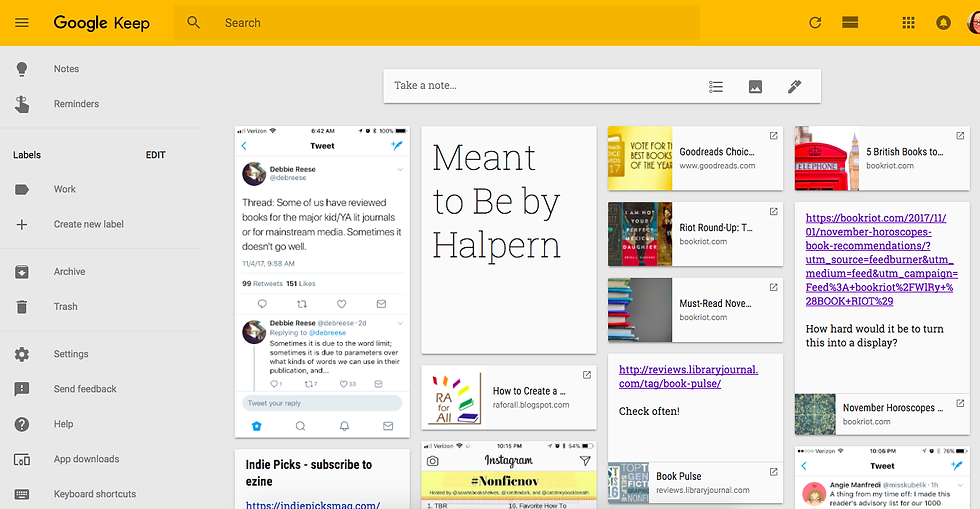
Google Keep is designed for fast notes, checklists, images, drawings, reminders, labels, colors, search, and lightweight collaboration. It works well when a note is temporary, actionable, or closely connected to Google services.
Choose Keep when Apple Notes feels heavier than the job and you mainly need a cross-platform capture inbox. Shared notes are simple and useful for lists, but they do not provide the structure of a project workspace.
The tradeoff is limited hierarchy, formatting, and long-form organization. A large research or knowledge library can become difficult to manage.
Migration note: test Google Takeout or the current export path, images, labels, reminders, collaborators, and archived notes. Do not assume Apple folders map directly to Keep labels.
10. Simplenote — best for minimal text notes
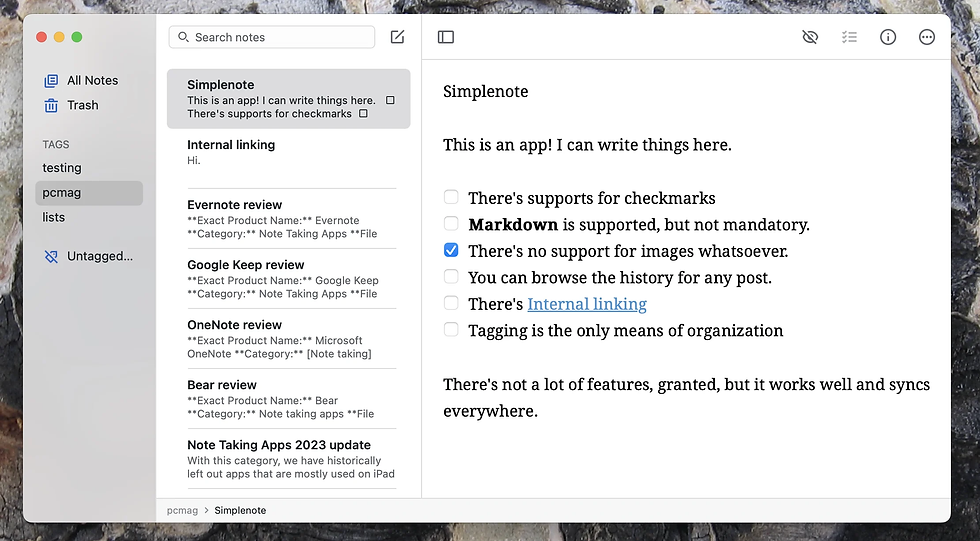
Simplenote focuses on text notes synchronized across iOS, Android, Mac, Windows, Linux, and the web. It supports tags, instant search, collaboration, publishing, Markdown, and note version history.
Choose Simplenote when speed, low friction, and text portability matter more than media-rich notes. It is well suited to ideas, lists, drafts, and lightweight shared text.
The tradeoff is deliberate minimalism. It is not intended for document scanning, handwriting, rich attachments, complex databases, or a visual research archive.
Migration note: move a text-only subset first and inspect Markdown, tags, links, collaboration, and version history. Keep image-heavy or scanned Apple Notes in a more suitable destination.
Which Apple Notes alternative should you choose?
Choose OneNote for handwriting, free-form notebooks, Windows access, and Microsoft collaboration.
Choose UpNote for a familiar notebook experience across desktop and mobile platforms.
Choose Notion for databases, shared projects, permissions, and team knowledge.
Choose Obsidian for local Markdown files, backlinks, plugins, and maximum file-level control.
Choose Bear when you are staying on Apple devices but want better writing and export tools.
Choose Joplin for open-source, offline-first Markdown notes and optional encrypted sync.
Choose Evernote for web clipping, scans, attachments, and document search.
Choose Google Keep for quick notes, checklists, reminders, and simple sharing.
Choose Simplenote for minimal text notes, Markdown, tags, and version history.
Choose remio for automatic capture and AI retrieval across web pages, local files, meetings, email, and messages.
How to migrate safely from Apple Notes
Inventory what you actually use: typed notes, scans, PDFs, images, audio, checklists, tables, handwriting, tags, locked notes, shared folders, and links.
Create an independent backup before changing anything. Do not treat synchronization as a backup.
Check the export options available on your current macOS version. Apple documents PDF export and, on supported recent versions, Markdown export for individual notes.
Choose 30–50 representative notes, including the difficult formats, for a pilot.
Import the pilot and inspect text, filenames, dates, tags, images, attachments, tables, lists, and links.
Test the destination's export before moving the full library. Portability must work in both directions.
Run both systems temporarily. Keep Apple Notes read-only while using the destination for real work.
Switch only after backups, sync, offline access, and recovery have been proven on every required device.
When should you stay with Apple Notes?
Stay with Apple Notes if you primarily use Apple devices and depend on frictionless iCloud sync, Apple Pencil, document scanning, shared folders, locked notes, quick capture, or integration with the Apple ecosystem. A new app is not automatically better because it has more features.
Switch only when a recurring limitation matters enough to justify migration: Windows or Android access, portable Markdown, deeper team workflows, local or encrypted storage, stronger web capture, or AI retrieval across sources beyond a notes library.
FAQ
What is the closest cross-platform alternative to Apple Notes?
UpNote is close in everyday notebook feel, while OneNote is stronger for handwriting, free-form pages, and Microsoft environments. There is no exact clone because Apple Notes depends heavily on iCloud and Apple-device integration.
What is the best Apple Notes alternative for Windows?
Start with OneNote for notebooks and handwriting, UpNote for a familiar notes experience, or Notion for team projects and databases. Choose Obsidian or Joplin when Markdown, offline work, or file control matters more than visual similarity.
What is the best Apple Notes alternative for privacy?
Obsidian keeps Markdown files in a local vault. Joplin is offline-first and can encrypt synchronized data end to end when configured correctly. Bear provides local access and Apple-focused security options but does not solve Windows or Android access. Privacy depends on the complete path, including backups, sync providers, plugins, and AI services.
Can Apple Notes export to Markdown?
Apple's current Mac documentation includes Markdown export on supported recent macOS versions, alongside PDF export. Availability can depend on the operating-system version. Export a representative note and inspect images, attachments, tables, links, scans, and handwriting before relying on it for a full migration.
Which alternative is best for handwriting?
OneNote is the strongest cross-platform option in this list for free-form pages, pen input, and ink-to-text workflows. If handwriting and Apple Pencil integration already work well in Apple Notes, staying may be simpler than migrating.
Which alternative is best for AI?
Choose remio when AI needs context from web pages, meetings, local files, email, and messages; Notion when AI belongs inside a team workspace; or Evernote when capture and searchable reference material are central. Review where each product sends AI context and what works offline before using it with sensitive information.
Official sources
Apple Notes import and export: https://support.apple.com/en-gb/guide/notes/not201900c07/mac
remio information capture: https://www.everdent.cn/info-capture
Microsoft OneNote availability: https://support.microsoft.com/en-US/OneNote/how-to-download-onenote
Microsoft OneNote handwriting: https://support.microsoft.com/en-us/onenote/onenote-help-and-learning/take-handwritten-notes-in-onenote
Notion offline pages: https://www.notion.com/en-gb/help/use-pages-offline
Obsidian help: https://help.obsidian.md/
Bear product and export information: https://bear.app/
Joplin overview: https://joplinapp.org/help/
Joplin encryption: https://joplinapp.org/help/apps/sync/e2ee/
UpNote export: https://help.getupnote.com/import-export-share-and-print/export-your-notes
UpNote FAQ: https://help.getupnote.com/resources/frequently-asked-questions
Evernote features: https://evernote.com/features
Google Keep help: https://support.google.com/keep/
Simplenote: https://simplenote.com/
Before deleting or closing anything, prove that the destination can export your notes in a usable form. If your information arrives faster than you can manually organize it, try remio for automatic capture and retrieval while keeping Apple Notes available during the pilot.